
The family command center that lives on the screens you already own.
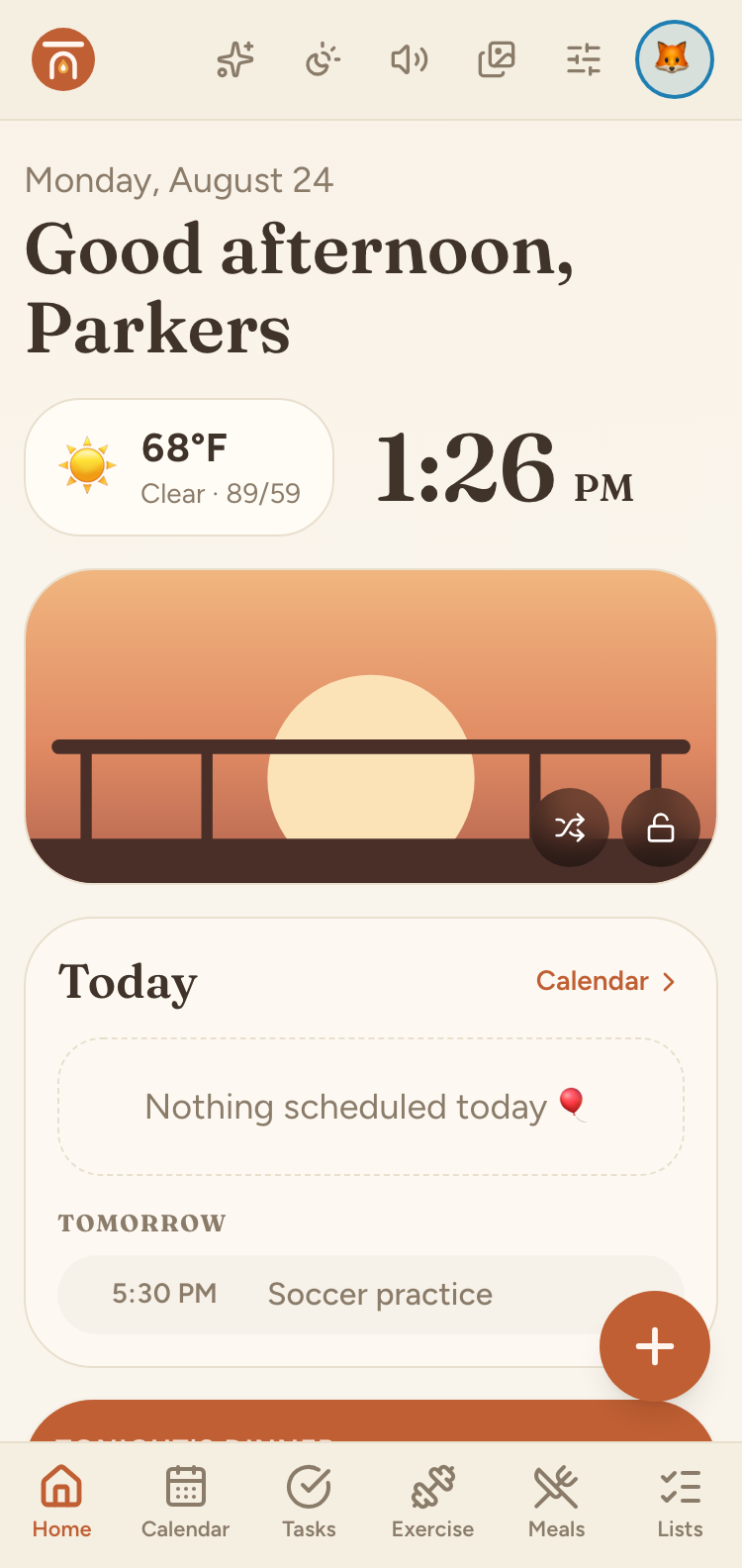
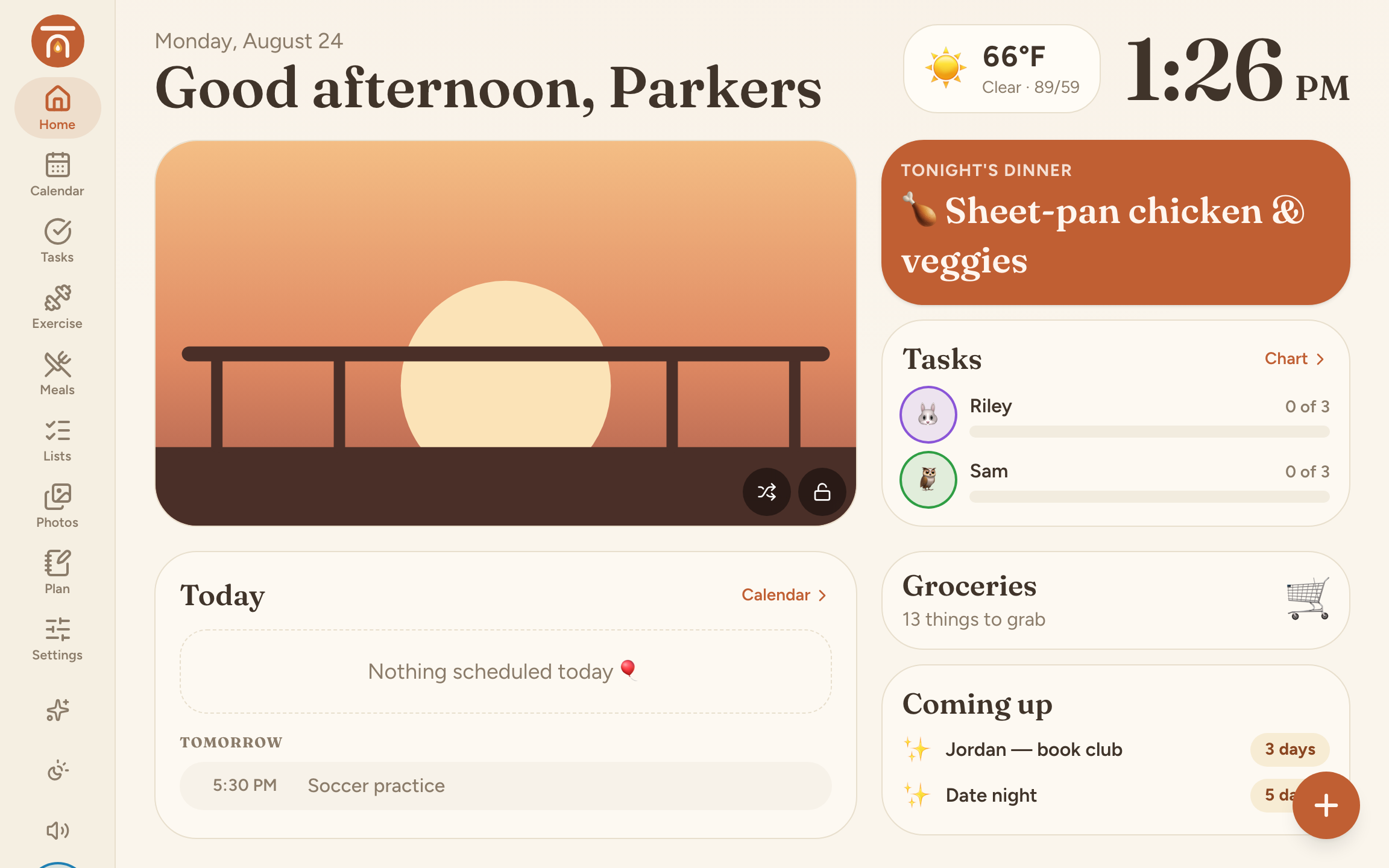
Calendar, chores, dinners, lists, and photos — in one calm place. Mount an old tablet on the wall, or just open it on your phone.
Free forever, and we don’t sell ads against your family’s calendar.
A wall calendar shouldn’t cost more than the tablet you already stopped using.
$299.99
Skylight Calendar 2 (15")
plus $79/yr for Plus
$699
Hearth Display (27")
plus $86.40/yr, required
Hardware prices read from each vendor’s own site in August 2026, and they move. We’re not affiliated with any of them — we list them because the comparison is the point.
Everything a busy household keeps losing track of.
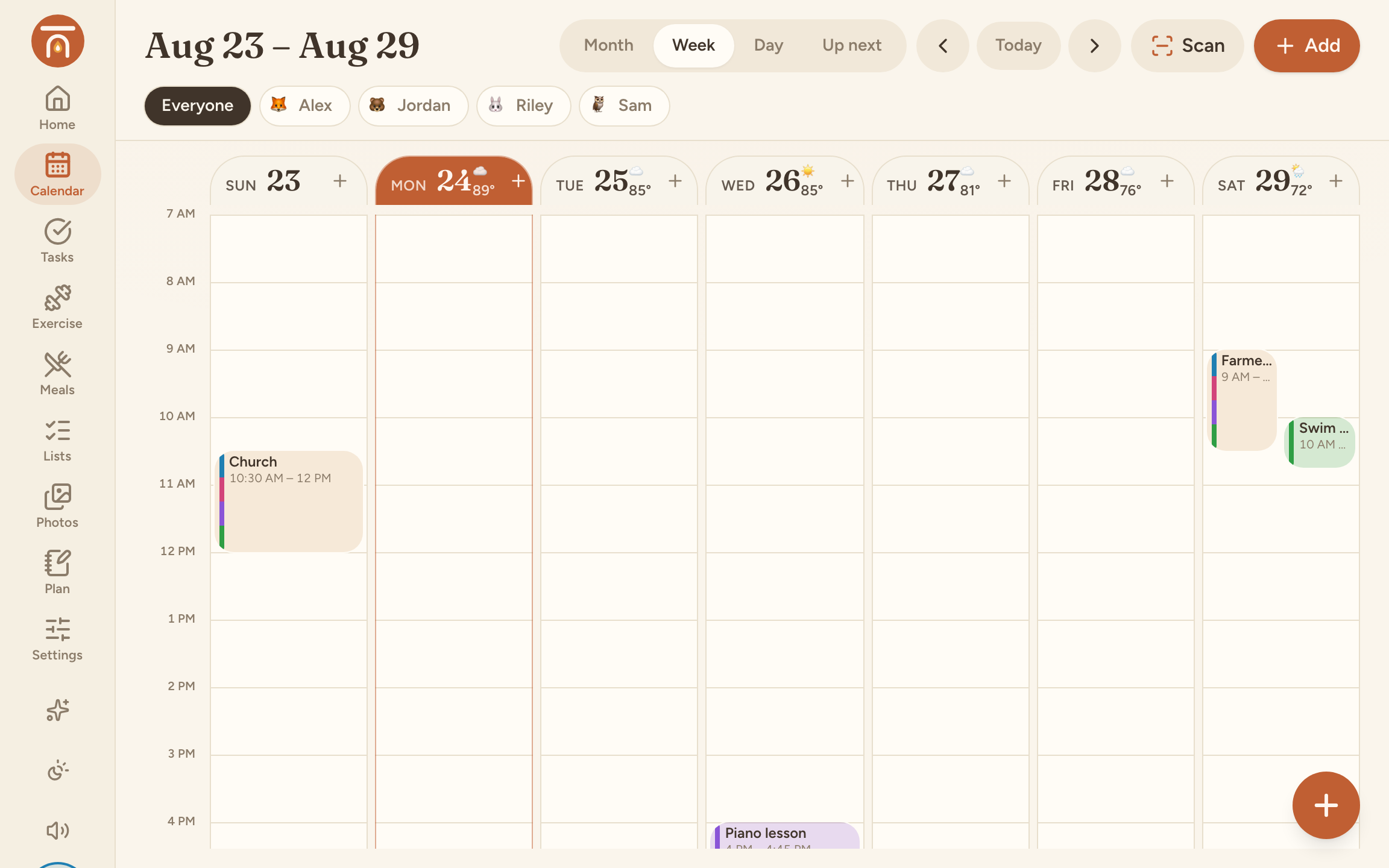
One calendar the whole house can see
Sync is PlusColour-coded per person, with recurring events, who's driving, and reminders that actually arrive. Subscribe to Google, Apple, or Outlook and everything lands in one place.
Chores that kids want to do
Stars for every job, morning and evening routines, streaks, and a reward store they save up for. Tapping a chore sets off a small burst of confetti, which turns out to matter.
Dinner, decided
PlusA week grid you drag meals around, a recipe box you can search and tag, and a button that sends a recipe's ingredients straight to the grocery list — grouped by aisle.
The photos, on the wall
Upload the good ones. When the hub goes idle they play full-bleed with the clock and tomorrow's first thing. It is the nicest way to use an old tablet we know of.
Music and podcasts in the kitchen
PlusRadio stations you add yourself, the family's own uploaded songs, and podcast subscriptions with episode queues — with a now-playing screen you can read across the room.
A cockpit for whoever runs the week
Plus · AI is ProReusable routine templates, a week at a glance, and one headline goal per kid per month. On Pro, an AI that drafts the week and finds recipes for you.
How it lines up
Prices checked August 2026 from each company’s own site. Where we gate a feature behind a paid tier, the tier is named — it would be a strange comparison table that hid our own paywall.
| Daily Mantel | Skylight Calendar | Cozi | |
|---|---|---|---|
| Hardware to buy | None — use what you own | $299.99 (15") / $599.99 (27") | None |
| Free plan | Forever, no ads | Device required | Ad-supported |
| Subscription | $0 / $49 / $99 a year | Plus $79/yr | Gold $39 / Max $79 a year |
| Works on phones, tablets, and laptops | Any modern browser | Companion app | Apps + web |
| Calendar sync (Google / Apple / Outlook) | Plus | Included | Included |
| Chores, stars, and a reward store | Free | Included | Not offered |
| Meal planning | Plus | Plus | Included |
| Photo screensaver | Free | Plus | Not offered |
| Music and podcasts | Plus | Not offered | Not offered |
| AI assistant | Pro | Magic Import, Plus | Max |
One price for the whole house
Not per person, not per device. Start free and stay there if it already does what you need.
Free
Genuinely enough to run a household on. Forever, no ads.
$0forever
- Shared calendar with recurring events and reminders
- Chores, stars, routines, and the reward store
- Groceries and to-dos, with items assignable to a person
- Up to 30 photos and the screensaver
- Wall mode — turn an old tablet into the family display
- Up to 6 family members
Plus
The whole app, for the family that lives in it.
$49/ year
$4.99/mo billed monthly — yearly saves 2 months
- Everything in Free, plus:
- Calendar sync — subscribe to Google, Apple, or Outlook
- Meal planner and recipe box, with ingredients → groceries
- Music, uploaded songs, and podcast subscriptions
- Exercise plans and the parent Plan cockpit
- 2,000 photos · unlimited members and lists
- Grandparent share link
Pro
Plus everything, with an AI that does the planning for you.
$99/ year
$9.99/mo billed monthly — yearly saves 2 months
- Everything in Plus, plus:
- AI plan-my-week and draft-my-week
- AI find-a-recipe with live web search
- AI exercise plan generation
- 100 AI actions a month, per household
- 10,000 photos
Cancel any time. Downgrading re-locks the paid features and keeps every photo, recipe, event, and star exactly where it is — nothing is deleted.
Honest answers
- What do I need to run it?
- Any device with a modern browser — iPad, Android tablet, phone, laptop, or an old Fire tablet. Add it to the home screen and it opens fullscreen like an app. There's no native app to install and no hardware to buy.
- Does it work offline?
- Not really, and we'd rather say so. The hub needs a connection to load and to sync between devices. A wall tablet on home wifi is exactly the case it's built for.
- What about my kids' data?
- Parents own the account and everything in it. Children don't get their own logins — a kid profile is a tile on your household, not an account with an email address. We don't sell data or run ads, and you can delete the household and everything in it whenever you like.
- Can I bring my existing calendar?
- Yes, on Plus — subscribe to a Google, Apple, or Outlook ICS feed and those events appear read-only alongside yours.
- Can I cancel?
- Any time, from Settings. Paid features re-lock and everything you've put in stays exactly where it is.
- Who's behind this?
- It started as a hub built for one family's kitchen wall and grew into something worth sharing. It's early — you'd be among the first families on it.
Put the week where everyone can see it.
Two minutes to set up. Nothing to buy.
Start free